


WhatsApp has transformed from a simple messaging app into India’s most powerful marketing channel for restaurants. With over 500 million active users in India and a 98% open rate compared to email’s 20%, WhatsApp is where your customers already spend their time. The average conversion rate of a WhatsApp message is 45-60% whereas email sits at just 2-5%. Even more impressive, 60% of users interact with businesses on WhatsApp every week. For restaurants looking to build direct customer relationships and drive repeat orders without paying hefty commissions to delivery platforms, WhatsApp marketing is no longer optional. Here is exactly how to build your customer list and turn those contacts into loyal regulars who order again and again.
- restaurant marketing services
- restaurant marketing company in India
- professional restaurant marketing support
Set Up WhatsApp Business Properly
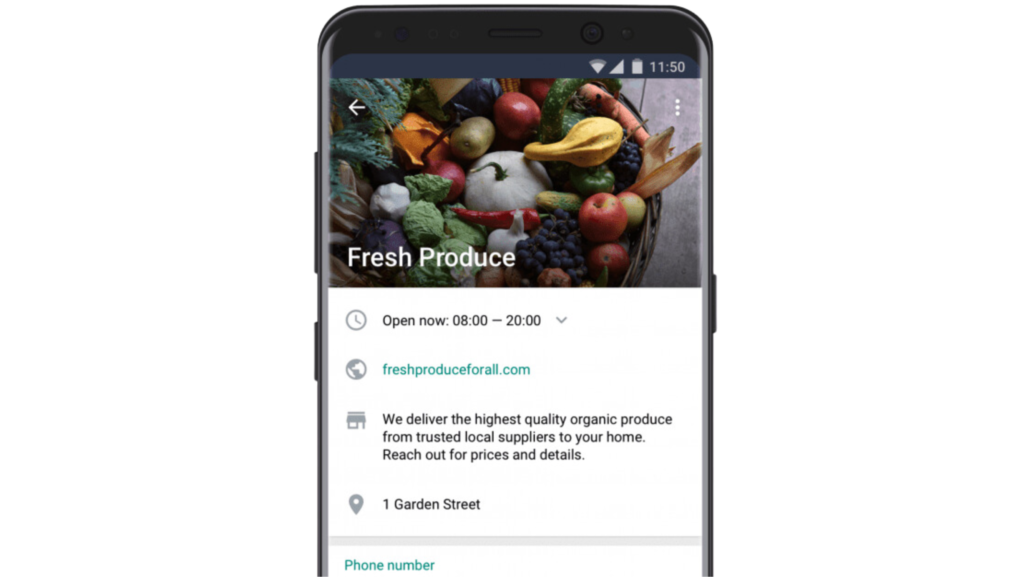
Before you can market to anyone, you need the right foundation. Download WhatsApp Business (not the regular WhatsApp app) which gives you features designed specifically for restaurants including business profile with your address and hours, catalog to showcase menu items, quick replies for common questions, automated greeting messages, and labels to organize customers.
Complete your business profile thoroughly. Add your restaurant category, detailed description, location, website link, and business hours. Upload your logo as your profile picture and add photos of your best dishes to your catalog. This professional setup builds trust immediately when customers first discover you.
Verify your business if possible. The green checkmark badge shows customers you are a legitimate business which increases credibility and response rates.
WhatsApp marketing support in Mumbai
Build Your Customer List Ethically
You cannot just add random numbers to broadcast lists. WhatsApp has strict policies and customers must opt-in to receive messages from you. Here are proven ways to build your list the right way.
Place table tents or posters in your restaurant with a QR code that customers can scan to start a WhatsApp chat with you. Offer a small incentive like “Scan for 10% off your next order” to encourage signups.
Add a WhatsApp signup button on your website and social media pages. Make the benefit clear such as “Join our WhatsApp list for exclusive daily specials and first access to new dishes.”
Train your staff to ask customers at checkout if they would like to join your WhatsApp community for special offers and updates. Capture their number right there with their permission.
When customers place delivery orders, include a note asking them to save your number and message you on WhatsApp for faster future orders and exclusive deals.
The key is always getting explicit permission. Build your list slowly with engaged customers rather than buying numbers or adding people without consent.
Use Broadcast Lists for Promotions
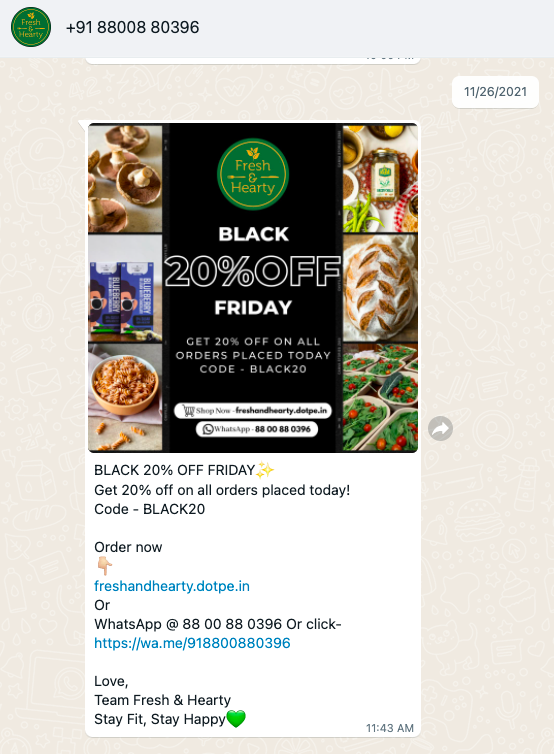
WhatsApp Broadcast Lists let you send messages to multiple customers at once while each recipient sees it as a personal message from you (not a group chat). This is perfect for promotions and announcements.
Segment your broadcast lists based on customer behavior and preferences. Create separate lists for lunch regulars versus dinner customers, vegetarian versus non-vegetarian preferences, or customers who order weekly versus monthly. Targeted messages perform significantly better than generic blasts.
Send broadcast messages for daily specials with mouth-watering photos, limited-time offers or festival menus, new menu items before public announcement, and last-minute deals to fill slow periods. Keep messages short, visual, and action-oriented with clear calls to action.
A restaurant in India used WhatsApp to promote daily specials and saw a 40% increase in takeout orders during peak hours according to industry reports.
Create a WhatsApp Catalog
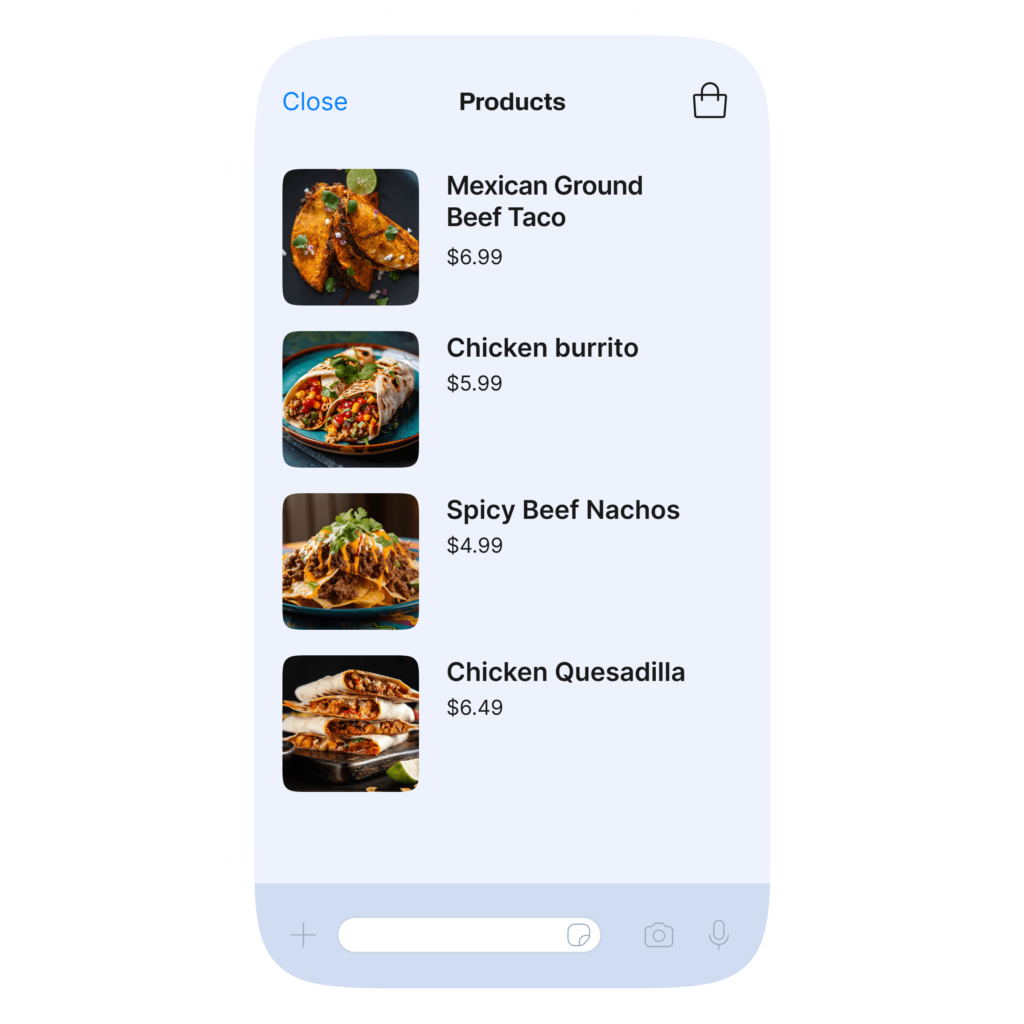
Your WhatsApp catalog functions as a mobile menu that customers can browse directly in the app. It can contain up to 500 items with photos, descriptions, and prices.
Take high-quality photos of each dish in good lighting. Write appetizing descriptions that highlight ingredients and preparation methods. Include accurate pricing and mark items as available or out of stock in real time.
Customers can browse your catalog, ask questions about specific dishes, and place orders all without leaving WhatsApp. This seamless experience significantly increases conversion compared to sending customers to external websites or third-party apps.
Update your catalog regularly with seasonal items, festival specials, and new additions. Remove items that are discontinued to keep everything current and accurate.
Enable Direct Ordering Through Chat
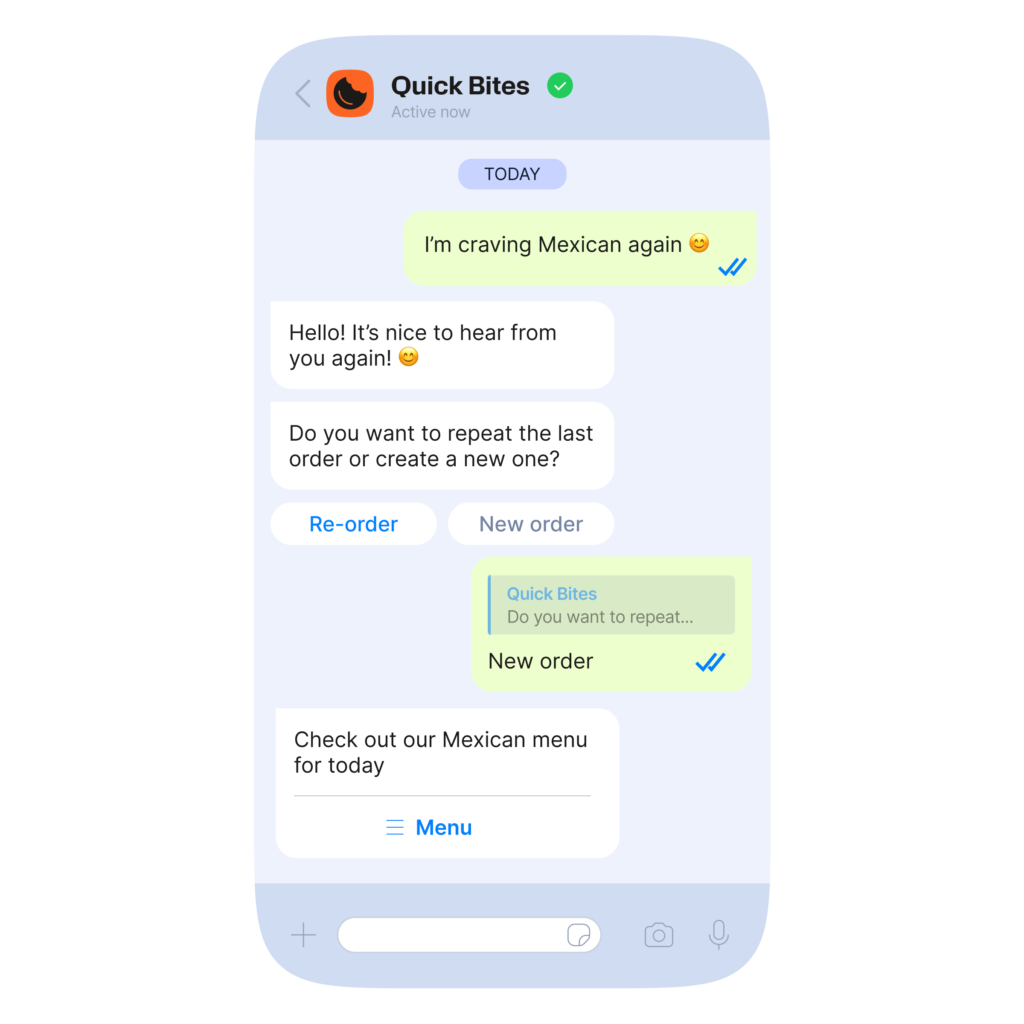
Let customers place orders by simply messaging you on WhatsApp. This eliminates the need for them to download apps or call during busy hours when phones ring constantly.
Set up a simple ordering process. When a customer messages “I want to order,” send them your catalog link or menu. They tell you what they want, you confirm the order with total price and delivery time, they confirm and share delivery address, and then you process payment.
WhatsApp now supports payments in India through UPI integration making the entire transaction possible without leaving the app. Reducing friction in the ordering process directly increases order frequency.
One pet care company in India generated ₹1 million in just 3 months using personalized WhatsApp selling with 35% of conversations converting to sales.
Send Personalized Messages
Generic messages get ignored. Personalization drives action. Use customer data to send relevant targeted messages that feel like they come from a friend who knows your preferences.
Wish customers on birthdays with a special discount. If someone always orders biryani, message them when you have a new biryani special. Send recommendations based on past orders. Create VIP offers for your most frequent customers.
According to research, 70% of customers have switched to another company because of lack of proper communication channels. Personal touches keep them loyal to you.
Use customer names in messages and reference their previous orders or preferences. This attention to detail makes customers feel valued and increases the likelihood they will order again.
Automate Common Responses
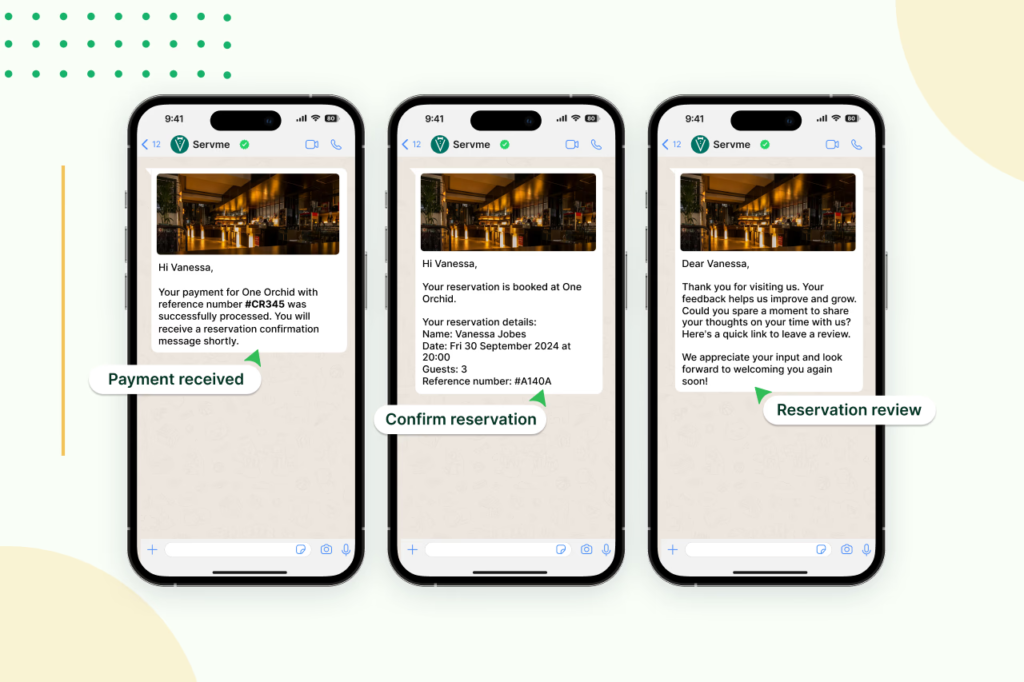
You cannot be online 24/7 manually responding to every message. Set up automated responses for common questions to provide instant answers while saving time.
Use quick replies for frequently asked questions like business hours, delivery areas, payment methods accepted, and most popular dishes. Create automated greeting messages that welcome new customers and explain how to browse your menu or place orders.
Set up away messages for when you are closed so customers know when you will respond. Include your operating hours and encourage them to browse your catalog while waiting.
Automation makes customers feel heard immediately even when you cannot personally respond. Just make sure automated messages sound natural and helpful rather than robotic.
Share Visual Content Regularly
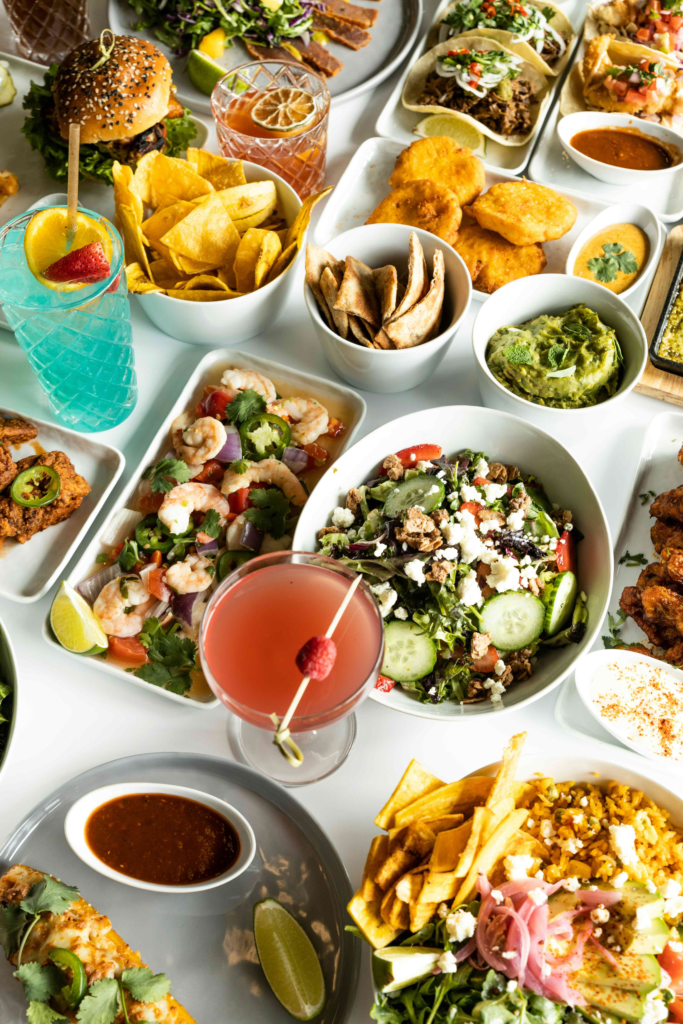
WhatsApp supports photos, videos, and documents. Use multimedia to showcase your food and keep your brand top of mind.
Share daily specials every morning with appetizing photos. Post behind-the-scenes videos of chefs preparing signature dishes. Create short clips showing dishes being plated or served sizzling hot. Share customer testimonials with their permission.
Visual content gets shared more often extending your reach beyond your existing list. Each share introduces your restaurant to potential new customers in their networks.
Keep videos under 15 seconds for maximum engagement. Use trending music or sounds when appropriate to make content more shareable on other platforms too.
Request and Respond to Feedback
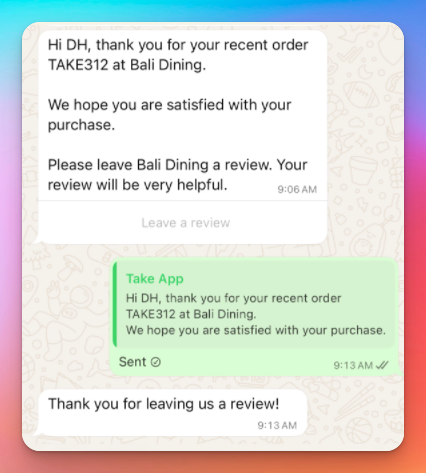
After customers order, follow up to request feedback. This shows you care about their experience and provides valuable insights for improvement.
Send a simple message 24 hours after delivery asking how their meal was. Make it easy to respond with quick options like thumbs up for good or specific questions about food quality and delivery speed.
Respond to all feedback whether positive or negative. Thank customers for compliments and address complaints promptly with solutions. One restaurant saw a 30% reduction in no-shows by using WhatsApp appointment reminders and follow-ups.
Collecting feedback helps you improve while also giving customers a voice which builds loyalty and increases the chances they will order again.
Create Exclusive WhatsApp-Only Deals
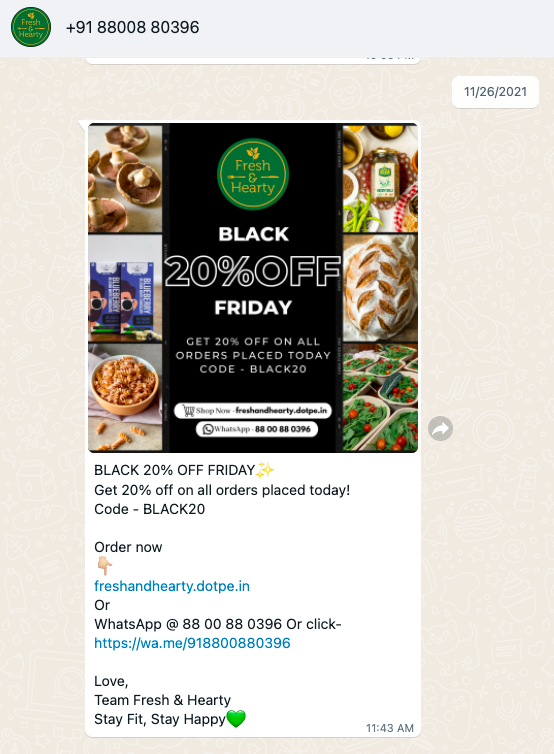
Give customers a reason to stay subscribed to your WhatsApp list by offering deals they cannot get anywhere else.
Announce flash sales only to WhatsApp subscribers. Offer early access to new menu items before they go public. Create special combo deals available exclusively through WhatsApp orders.
This exclusivity makes customers feel like VIPs and gives them compelling reasons to keep your number saved and check your messages regularly. It also drives direct orders to you rather than through commission-charging delivery platforms.
Final Thoughts
WhatsApp marketing for restaurants is not about spamming customers with constant promotions. It is about building genuine relationships through direct, personal, and valuable communication. With India on track to reach 795 million WhatsApp users by 2025, meeting customers where they already are makes perfect business sense.
Start small by setting up your WhatsApp Business profile and collecting opt-ins from existing customers. Focus on providing value through personalized messages, exclusive offers, and seamless ordering experiences. Track what works by noting which messages generate the most orders and which times get the best response rates.
The restaurants winning with WhatsApp marketing are those that treat the channel as a conversation with friends rather than a broadcast megaphone. Be helpful, be personal, and be consistent. Your customer list will grow organically and those repeat orders will follow naturally.

Leave a Reply